

Store Cleanliness Standards: Daily, Weekly & Monthly Checklists

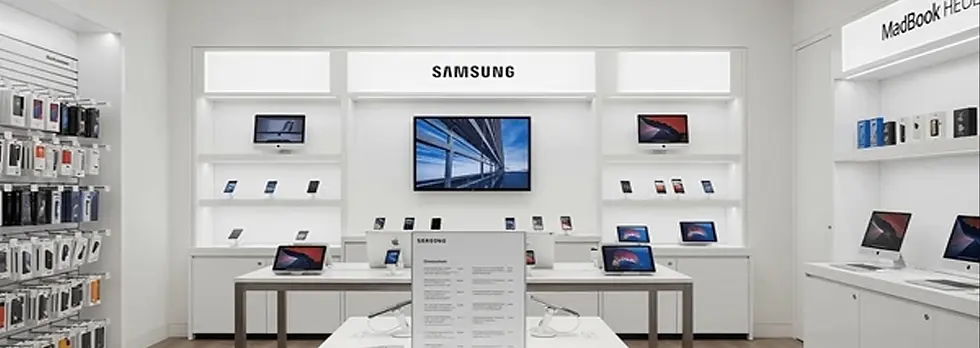
In wireless retail, customers judge your store in seconds. A clean counter, spotless demo phones, and a fresh-smelling sales floor builds trust fast—while a dusty accessory wall or sticky countertop quietly kills conversions. This guide gives you a simple, repeatable retail store cleaning system with daily, weekly, and monthly checklists, plus clear staff responsibilities so it actually gets done.
Why Cleanliness Impacts Sales (Not Just “Appearance”)
Trust: If your store looks sloppy, customers assume your activations, repairs, and service will be sloppy too.
Higher accessory sales: Clean, organized displays make products feel higher value.
Fewer chargebacks & mistakes: A clean, organized workspace reduces lost SIMs, missing receipts, and activation errors.
Better reviews: Clean stores get better Google reviews—especially in competitive areas.
Cleaning Roles: Who Owns What
Cleanliness fails when it’s “everyone’s job.” Assign ownership:
Opening Shift Lead: Opens the store to standard (front-of-house + bathrooms check).
All Staff (During Shift): “Clean as you go” rules (counter resets, trash, quick wipe-downs).
Closing Shift Lead: Closes the store to standard (floors, trash out, counters, restock/straighten).
Manager/Owner: Weekly inspection + monthly deep-clean scheduling and supply ordering.
Daily Store Cleaning Checklist (Open, Mid-Shift, Close)
Opening Checklist (10–15 minutes)
Unlock, lights on, music on, and do a quick “walk the floor” scan.
Wipe front door glass (inside/out) and clean smudges on handles.
Wipe all counters (especially checkout + activation stations).
Sanitize high-touch areas: POS keypad, pens, chairs, door handles.
Clean demo phones/tablets (screen-safe cleaner + microfiber).
Empty small trash bins if needed and replace liners.
Bathroom check: toilet, sink, mirror, soap, paper towels, trash.
Quick straighten: accessory wall faced forward, no empty hooks showing.
Mid-Shift “Reset” (5 minutes, 2–3x/day)
Clear clutter from counters (boxes, paperwork, old receipts).
Wipe fingerprints from glass displays and demo tables.
Spot sweep high-traffic areas (entrance, counter line, repair bench area).
Trash check: remove overflow before it looks bad.
Closing Checklist (15–25 minutes)
Full counter wipe-down + sanitize activation/work areas.
Clean demo devices again (customers touch them all day).
Wipe glass cases and mirrors (streak-free).
Sweep and mop (or vacuum) entire floor.
Trash out (store + bathroom). Replace liners.
Restock/face accessory wall and impulse items at checkout.
Bathroom clean: wipe sink, mirror, toilet exterior; restock supplies.
Back room quick reset: boxes stacked, trash removed, walkway clear.
Weekly Cell Phone Store Maintenance Checklist (1–2 hours)
This is where your cell phone store maintenance gets real—things customers notice but daily routines miss.
Deep clean glass: front windows, display cases, mirrors.
Dust all shelves, slatwalls, peg hooks, and signage.
Wipe baseboards and corners (dust collects fast in retail).
Clean behind counter: cords managed, drawers wiped, POS area sanitized.
Inventory/stockroom organization: break down boxes, clear walkways.
Bathroom deep clean: floors, baseboards, trash can exterior, door edges.
Check lighting: replace dead bulbs; clean light covers if dusty.
Check HVAC vents for visible dust; replace filters if applicable.
Clean and disinfect employee break area (fridge handle, microwave, table).
Monthly Deep-Clean Checklist (2–4 hours)
Your monthly store cleaning checklist protects your brand and prevents “slow decline” that you stop noticing.
Move fixtures (if possible) and clean underneath/behind.
Deep clean floors (steam mop or professional-grade cleaner).
Detail clean accessory displays: remove items, wipe shelves/hooks, re-merchandise neatly.
Clean vents, fans, and visible HVAC returns.
Wipe walls for scuffs (especially around the counter and entrance).
Deep clean chairs and customer seating (stains, crumbs, dust).
Check for odors (trash area, bathroom, back room) and fix the source.
Safety check: cords taped/managed, no trip hazards, exits clear.
Cleaning Standards (So Everyone Does It the Same)
Counters: No clutter. Only what’s needed for the next customer.
Glass: No fingerprints visible from 3 feet away.
Floors: No debris in corners or at entrance.
Accessory wall: Faced forward, grouped cleanly, no “random pile” sections.
Bathroom: Must be “customer-ready” at all times.
Supplies You Should Always Keep in Stock
Microfiber cloths (separate for glass vs. counters)
Screen-safe cleaner (for demo phones)
Disinfectant wipes/spray
Glass cleaner (streak-free)
Broom, dustpan, mop, bucket, floor cleaner
Trash liners (multiple sizes)
Paper towels, bathroom cleaner, toilet brush
Hand soap and sanitizer
How to Make It Stick (Accountability System)
Print the checklists and keep them on a clipboard (opening + closing).
Initial + time stamp each shift (opening lead + closing lead).
Weekly manager walk-through with a 1–5 cleanliness score (post it for the team).
Reward consistency: If the store hits 4/5+ weekly for a month, do a team lunch or small bonus.
Optional: Upgrade Your Store Look Over Time
If your fixtures, signage, or layout make the store harder to keep clean, consider improvements through partners in:
Conclusion: Clean Stores Close More Sales
Cleanliness isn’t “extra”—it’s part of your sales system. Use these daily, weekly, and monthly routines to keep your store customer-ready, protect your brand, and improve conversions. Print the checklist, assign ownership, and make it non-negotiable.


.webp)

Comments